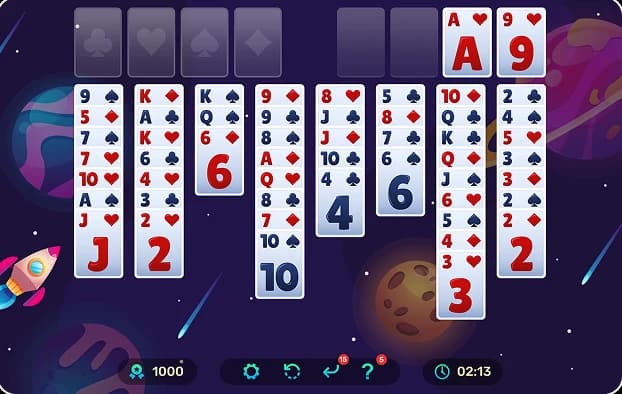
Top 9 FreeCell Apps to Download in 2026 (Android & iOS)


FreeCell is a real gem in the card game industry. What happens in Klondike Solitaire is that when you shuffle poorly, you may lose the game easily. Free cells allow you to win almost 99.9% of all possible games. It is a strategic and skillful game.
It is the year 2026, and the app stores are overrun. A real problem may be finding a high-quality FreeCell Solitaire application that does not show video advertisements and does not crash.
We have tested many FreeCell Solitaire games to bring you the top 9 FreeCell Solitaire apps for Android and iOS.
Table of contents
Quick Verdict: Our Top 3 Picks
If you are in a hurry, here are our top recommendations:
- Best Overall: MobilityWare FreeCell (Polished and professional)
- Best for No Downloads: FreeCell.game (Play instantly in your browser)
- Best Ad-Free Experience: Solitaire Bliss (Clean and quiet)
What to Look for in a 2026 FreeCell App
When choosing a FreeCell app in 2026, you should look for a clean design with large cards that are easy to read on your phone screen. A good application must include winnable deals to avoid an unbeatable game, as well as features that help you, such as unlimited undo, smart hints, and extensive statistics to monitor your progress.
Other factors, such as finding an app that is offline to travel and is lightweight, i.e., will not drain your battery or consume much space, also need to be considered. Lastly, make sure it has current features, such as a dark mode for night play and a low-ad experience to prevent constant interruptions, so you can concentrate on your strategy. If you are deciding between browser options specifically, the breakdown of FreeCell.game vs 247 FreeCell covers exactly how these two platforms compare on every one of these factors.
Top 9 FreeCell Apps for Android & iOS
| App Name | Platform | Ads | Offline | Variants | Best For |
| FreeCell.game | Browser | None | No | 4+ | No download at all |
| MobilityWare | iOS, Android | Minimal | Yes | Standard | Best overall app |
| Brainium | iOS, Android | Minimal | Yes | Standard | Complete beginner |
| Microsoft | All Devices | Optional | Yes | 5 Games | All-in-one collection |
| Solitaire City | iOS, Android | Optional | Yes | 7 | Speed and variety |
| FreeCell Pro | Android | Minimal | Yes | Standard | Advanced players |
| Solitaire Bliss | iOS, Android | Very Low | Yes | 35+ | Hating mid-game ads |
| Zynga | iOS, Android | Minimal | Yes | Standard | Leaderboards |
| Magma Mobile | iOS | Low | Yes | Standard | Lightweight & simple |
1. FreeCell.game — Best for Instant Play

Platform: Browser (All Devices)
Why it wins: This is the most appropriate option when you do not want to fill up your phone with another app. It is a PWA, an application that looks like a real app but is neither installed on your computer nor on your phone.
Best For: It is best suited for players who need to play without a setup process on any device. It has no commercials during gameplay and offers fun modes where you can learn Eight off solitaire rules or try the classic Baker’s Game.
2. MobilityWare FreeCell — Best Overall App

Platform: iOS, Android
Why it wins: MobilityWare is the most recognizable mobile Solitaire. MobilityWare’s 2026 version is incredibly polished. It is perfect for testing your Freecell strategy against daily missions and earning trophies through the XP system.
Best For: People looking for a professional, big-budget, smooth animation with many trophies to earn.
3. FreeCell Solitaire+ by Brainium — Best for Beginners

Platform: iOS, Android
Why it wins: Brainium is a design that concentrates on a minimalistic, zen experience. The cards are huge and well readable. It is also excellent in its hint system, which teaches you the game's logic rather than just the move itself.
Best For: New players or those who prefer a clean, uncluttered interface without flashing buttons.
4. Microsoft Solitaire Collection — Best for Ecosystem Sync

Platform: iOS, Android, Windows
Why it wins: It is the official version most of us grew up with on Windows. In 2026, it will be perfectly compatible with your Microsoft or Xbox account. You may begin playing a game on your PC and complete it on your phone during lunch.
Best For: Window users who like the traditional window's appearance and other games such as Spider and Pyramid.
5. Solitaire City — Best for Skilled Competitive Play

Platform: iOS, Android
Why it wins: Solitaire City will be a good match if playing standard FreeCell is too easy. It employs time-based scoring. The quicker you clear the board, the more you score. It is characterized by local and world leaderboards.
Best For: Competitive players who enjoy the "rush" of a ticking clock.
6. FreeCell Pro by Dinobyte — Best for Advanced Players
Platform: Android
Why it wins: It is an app designed for Power Users. It offers rich settings, including autoplay speeds, personalized card graphics, and a detailed move counter. This app lacks the hand-holding of other versions, making it the ideal choice for those seeking a perfect streak or tackling the legendary Freecell game 11982.
Best For: Serious game players who are familiar with the rules and want complete control over the game's settings.
7. Solitaire Bliss — Best Ad-Light Experience

Platform: iOS, Android, Browser
Why it wins: It is the worst thing to see during a game when a loud video advertisement appears in the middle of the game. Solitaire Bliss has a reputation for being considerate of the player's time. In 2026, they introduced a 'Solvability Check' that warns you if a move has made the game impossible, effectively teaching you How to win at FreeCell by avoiding dead-end traps.
Best For: The best option is to be chosen when players do not want to be interrupted and prefer to enjoy their game in peace.
8. FreeCell Solitaire by Zynga — Best for Social Features

Platform: iOS, Android
Why it wins: Zynga introduces a social aspect to the game. You are able to view the comparison of your win streaks in relation to your friends or fellow people in your country. The cards are jumbo-sized, making this a wonderful option for players with vision.
Best For: Playing the game socially and enjoying the rewards of earning achievements and ascending the rankings.
9. FreeCell by Magma Mobile — Best for Older Devices

Platform: iOS (Optimization Focus)
Why it wins: If your iPhone is an older model or you have an entry-level Android tablet, this is the right app. It is very light and consumes minimal RAM. Magma Mobile is concentrated on pure gameplay. It provides a simple interface that mirrors How to set up FreeCell with a physical deck, minus the clutter.
Best For: Players who value battery life and fast load times over flashy graphics.
Which FreeCell App Is Right for You?
The selection of the best app will be based on your personality:
- You can use MobilityWare or Brainium to play even when offline, but you have to download them on a plane or in a subway.
- Freecell.game is used when you do not have any storage space on your phone.
- To master the game, Solitaire Bliss can be used to exploit their solvability tools.
- In case you are tired of conventional FreeCell, you can get Solitaire City to play such variations as Double FreeCell.
FAQs
- Indeed, all the apps on this list can be downloaded for free. The majority of them use small banner ads to remain free, but in most cases, a small fee is required to remove them.
- There are many downloadable applications, such as MobilityWare and Microsoft Solitaire, that can be played offline. Browser versions, such as FreeCell.game, depend on an internet connection to load.
- No, the Game number 11982 was the only game in the original Microsoft numbering system known to be unwinnable. The majority of contemporary apps simply offer deals that have already been proven to work.
- The best study app for seniors is Brainium Studios and Zynga, since it offers jumbo-sized cards, high contrast, and simple menus.
FreeCell.game vs Other FreeCell Websites: Best Comparison
FreeCell.game vs other FreeCell websites compared by speed, ads, mobile support, solvers, and numbered deals. Discover the best FreeCell site online.

Card Games vs Board Games: Which Trains Your Brain Better ?
Discover whether card games or board games provide better brain training for memory, focus, strategy, and problem-solving.
Why More People Are Switching From Offline FreeCell to Online Play
Find out why players are moving from classic desktop FreeCell to browser-based play and what online versions offer today.
Is FreeCell More Popular in the US or the UK? What the Data Says
Compare FreeCell popularity in the US and UK using search volume, per-capita data, and player interest.

Is Every Game of FreeCell Winnable? Strategy & Tips
Is every game of FreeCell winnable? Learn the truth behind FreeCell solvability, why most games can be won, and what makes some deals impossible.